
Publish a Data Stream via a Web Service
Source:R/publish_DSD_via_WebService.R
publish_DSD_via_WebService.RdUses the package plumber to publish a data stream as a web service.
Usage
publish_DSD_via_WebService(
  dsd,
  port,
  task_file = NULL,
  serializer = "csv",
  serve = TRUE,
  background = TRUE,
  debug = FALSE
)
Arguments
- dsd
A character string that creates a DSD.
- port
port used to serve the DSD.
- task_file
name of the plumber task script file.
- serializer
method used to serialize the data. By default,
csv(comma-separated values) is used. Other methods arejsonandrds(see plumber::serializer_csv).- serve
if
TRUE, then a task file is written and a server started, otherwise, only a plumber task file is written.- background
logical; start a background process?
- debug
if
TRUE, then the service is started locally and a web client is started to explore the interface.
Value
a processx::process object created with callr::r_bg() which runs the plumber server
in the background. The process can be stopped with rp$kill() or by killing the process
using the operating system with the appropriate PID. rp$get_result() can
be used to check for errors in the server process (e.g., when it terminates
unexpectedly).
Details
The function writes a plumber task script file and starts the web server to serve the content of the stream using the endpoints
http://localhost:port/get_points?n=100andhttp://localhost:port/info.
APIs generated using plumber can be easily deployed. See: Hosting. By setting a task_file and serve = FALSE a plumber
task script file is generated for deployment.
A convenient reader for stream data over web services is available as DSD_ReadWebService.
See also
Other WebService:
DSC_WebService(),
DSD_ReadWebService(),
publish_DSC_via_WebService()
Other dsd:
DSD_ReadSocket(),
DSD_ReadWebService(),
publish_DSD_via_Socket()
Examples
if (has_localhost_server(port = 8000)) {
# find a free port
port <- httpuv::randomPort()
port
# create a background DSD process sending data to the port
rp1 <- publish_DSD_via_WebService("DSD_Gaussians(k = 3, d = 3)", port = port)
rp1
# connect to the port and read manually. See DSD_ReadWebService for
# a more convenient way to connect to the WebService in R.
library("httr")
# we use RETRY to give the server time to spin up
resp <- RETRY("GET", paste0("http://localhost:", port, "/info"))
d <- content(resp, show_col_types = FALSE)
d
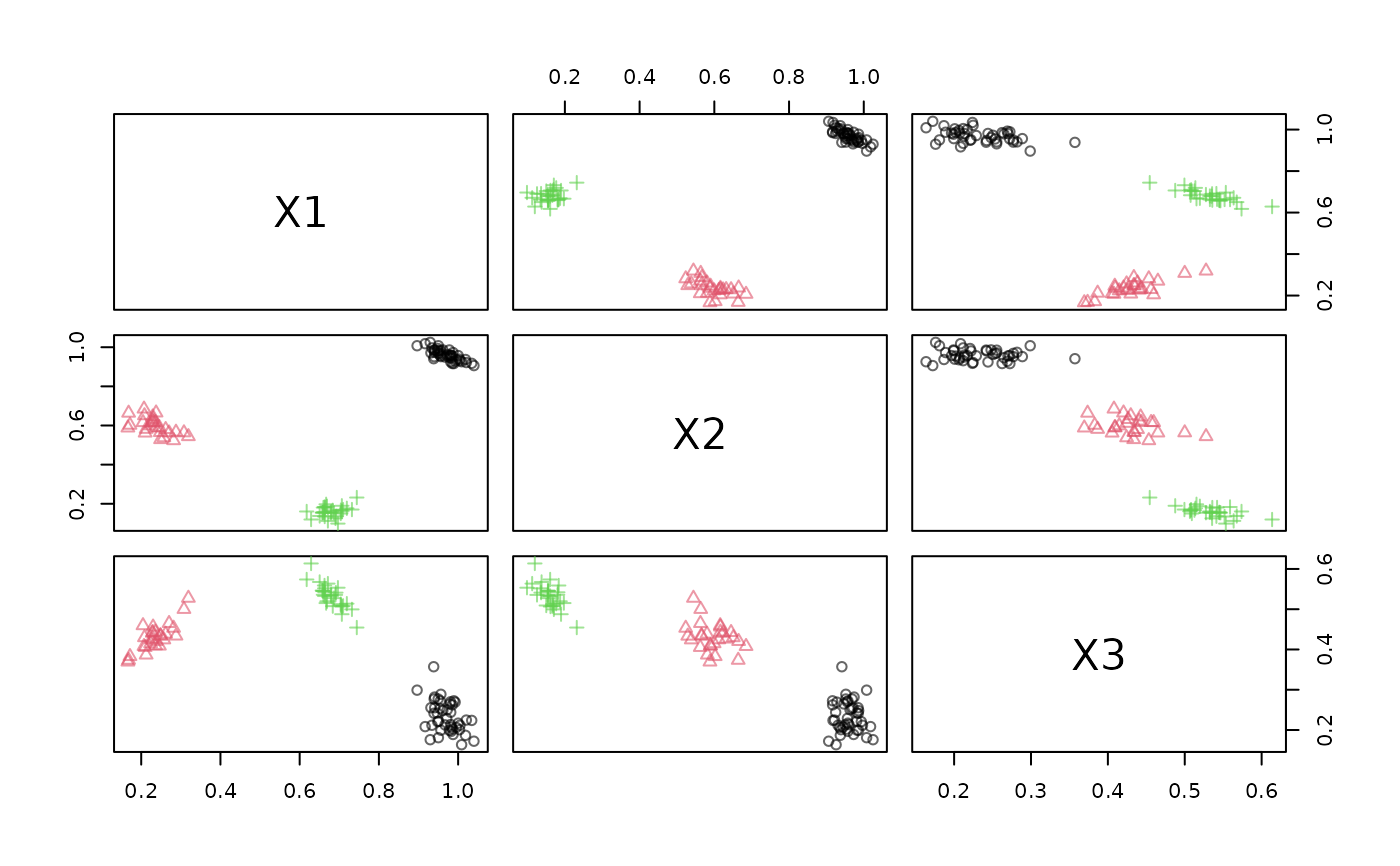
# example: Get 100 points and plot them
resp <- GET(paste0("http://localhost:", port, "/get_points?n=100"))
d <- content(resp, show_col_types = FALSE)
head(d)
dsd <- DSD_Memory(d)
dsd
plot(dsd, n = -1)
# end the DSD process. Note: that closing the connection above
# may already kill the process.
rp1$kill()
rp1
# Publish using json
rp2 <- publish_DSD_via_WebService("DSD_Gaussians(k = 3, d = 3)",
port = port, serializer = "json")
rp2
# connect to the port and read
# we use RETRY to give the server time to spin up
resp <- RETRY("GET", paste0("http://localhost:", port, "/info"))
content(resp, as = "text")
resp <- GET(paste0("http://localhost:", port, "/get_points?n=5"))
content(resp, as = "text")
# cleanup
rp2$kill()
rp2
# Debug the interface (run the service and start a web interface)
if (interactive())
publish_DSD_via_WebService("DSD_Gaussians(k = 3, d = 3)", port = port,
debug = TRUE)
} else {
message("localhost not available, example skipped.")
}
 #> No encoding supplied: defaulting to UTF-8.
#> No encoding supplied: defaulting to UTF-8.
#> No encoding supplied: defaulting to UTF-8.